on sale
INEVIFIT I-BA002 Body Analyzer Scale
96239
Color
Available on purchases over 100 SAR
A body composition scale that keeps the phone out of your routine
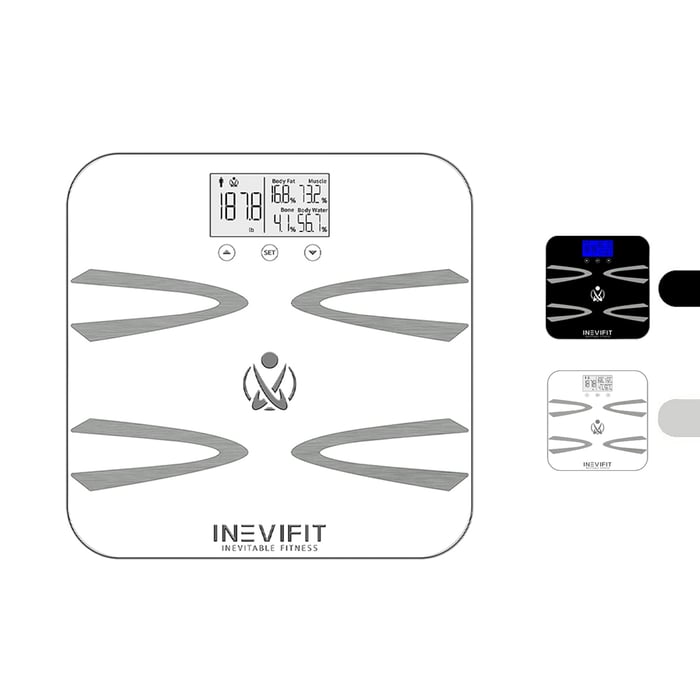
The INEVIFIT Body-Analyzer Scale gives you a direct view of weight and estimated body composition on its own display. It suits a home routine where you want to step on, read the results and keep your own record without pairing a phone. The black and white choices belong to the I-BA002 series, with a tempered-glass platform and metal foot-contact electrodes.
Body composition results use bioelectrical impedance analysis, or BIA. The scale combines an electrical impedance reading with information in your profile to estimate several indicators. These are useful for observing patterns under comparable conditions, rather than diagnosing a condition or treating one reading as a complete assessment of your health.What you can read on the screen
Alongside body weight, the analyzer provides body fat percentage, body water percentage, muscle mass percentage, bone mass, body mass index, basal metabolic rate, visceral fat and metabolic age. BMI relates weight to height; BMR is an estimate of resting energy requirements. Neither should be used alone to set a diet, judge fitness or make medical decisions.SpecificationDetailsModelsI-BA002 black; I-BA002W whiteMaximum load180 kg / 400 lbWeight increment0.1 kgDisplay4.1-inch backlit LCDPlatform size12.8 × 12.8 × 1.1 inchesProfile memoryUp to 10 usersPower4 AAA batteriesConstructionTempered glassSet it up once, then keep measurements consistent
Install the supplied batteries with the correct polarity. Press SET twice to reach the flashing profile selection, choose your profile with the arrows and confirm with SET. Enter gender, activity level, age and height carefully. The athlete setting is intended for active adults who meet the manufacturer’s activity criteria, including around ten or more hours of exercise per week.
Put the scale on a hard, level floor. Briefly step on and off so it can calibrate to zero, wait three seconds, then weigh yourself. Recalibrate before first use and whenever you move the scale. Stand still with bare feet touching the electrodes and remain in place until the body composition readings appear after your weight.
Compare readings taken at similar times and in similar circumstances. Food, drink, clothing, pocket contents and bathroom visits can change the number on the display. Write down the date and relevant readings in a notebook or spreadsheet if you want a longer-term record. Profile memory simplifies identification, but it is not automatic app synchronization.Safety and everyday care
Do not use the scale during pregnancy, with an implanted electronic medical device such as a pacemaker, or for children under ten. Keep the user’s feet and the platform dry to reduce slipping. Avoid carpets, soft flooring and uneven surfaces. Use the scale within its stated load limit and consult the supplied instructions before use.
The FitNeeds listing states a five-year INEVIFIT manufacturer warranty; consult its applicable coverage terms.Frequently Asked QuestionsDoes it connect to Bluetooth?
No. This model shows its results on the scale and does not connect directly to a smartphone. Choose it for independent, screen-based use.Can I save a progress history?
Yes, by recording results yourself. A notebook, spreadsheet or photograph of the display can help you compare measurements taken under consistent conditions.What happens if two users have similar profiles?
If the scale cannot identify the correct person, select the intended profile with the arrows before repeating the measurement. Do not assume every automatic selection is correct.How do I change measurement units?
Wake the display with SET, then double-tap the down arrow to switch units. Allow the scale to turn off so the selection is saved.Why do I get weight but no composition results?
Check that bare skin is touching the metal electrodes, select the right profile and stay on the scale after the weight appears.What does Lo mean?
Check battery orientation and charge. Incorrectly installed or depleted batteries can trigger the low-battery message; replace the batteries when needed.What should I do if Err appears?
Check for overloading first. If the error remains within the permitted load, stop using the scale and seek product support rather than repeatedly loading it.Is metabolic age my actual biological age?
No. It is an estimated indicator generated by the scale, not a diagnosis or a test that establishes your biological age.Does the color change its functions?
The listed black and white versions share the series features. Select the color shown in your order options; a purchase is for one scale.What is supplied with the scale?
The manufacturer lists the body analyzer, an instruction manual and four AAA batteries. Read the manual before setting up personal profiles.Product media